
Test Sigmira on your Shopify store for free
Your shoppers personalize products right on your product pages, and you get a print-ready file with every order. Our Shopify app is in review. Join the beta to use it as soon as it's approved.
- Free during the beta
- Runs for at least 4 weeks
- No obligation afterwards
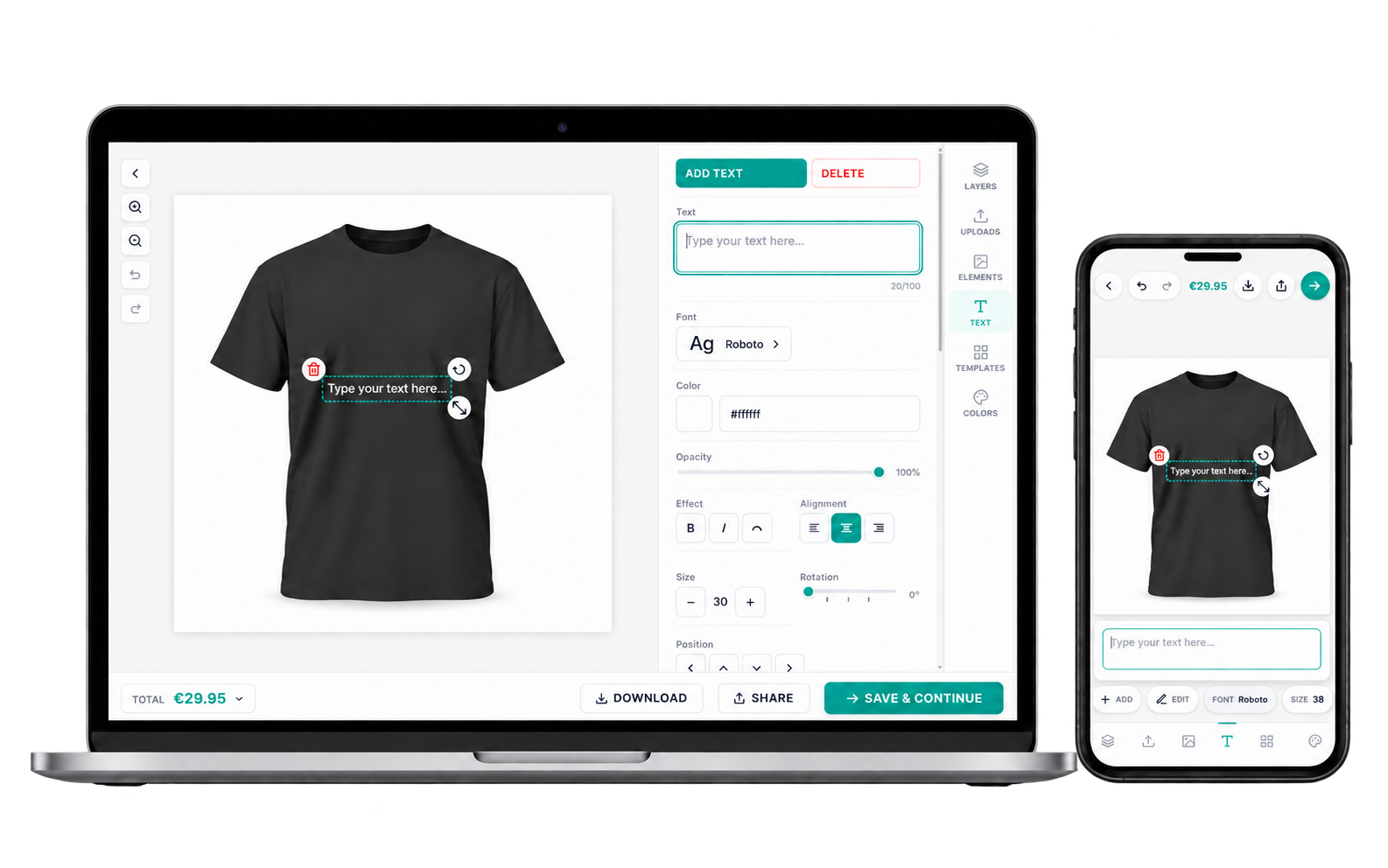
The beta in short
-
Free to use
During the beta you can use all of Sigmira's functionality without paying anything.
-
At least 4 weeks
Enough time to set up your own products, test them properly and see the files you get.
-
No obligation
When the beta ends, you decide: subscribe through Shopify, or uninstall and owe nothing.
The beta starts once Shopify approves our app, which we expect within weeks. We'll email you as soon as it opens.
What you can test
A product customizer on your product pages, and a print-ready file with every order, so nobody rebuilds a design by hand. Built for print shops, engravers, apparel sellers and gift shops.
Text, photos and clipart
Shoppers add text in your fonts, upload their own photos and place your clipart, with a live preview.
Made for phones
The editor is built for touch, with pinch to zoom, drag handles and controls that fit under a thumb.
Prices that follow the design
Nine pricing rule types, from text length to printed area. Shoppers see the price update as they design.
Print-ready files
PNG and JPG up to 1200 DPI, and PDF that keeps text and vector elements as real vectors.
Engraving previews
Shoppers see how your laser will burn their photo or text on wood, glass, metal and more.
No Sigmira branding
The editor on your store carries no Sigmira badge or logo, so your shoppers only ever see your brand.
Try the editor today
Our demo store runs Sigmira on WooCommerce, so you can try the shopper side right now.
Why join the beta
- Test on your own products. Set Sigmira up with your products, fonts and print sizes, and check the files your production would get.
- A direct line to the maker. Sigmira is small and independent. Your feedback goes straight to the person who decides what gets built next.
- A flat price if you stay. Plans are a flat monthly price with no percentage of your sales. You can see them on the pricing page.
From signup to decision
-
Leave your email
It takes a few seconds, and we only use your email address for the beta.
-
The beta opens
Once Shopify approves the app, we email you the steps to install Sigmira.
-
Set up and test
Install it from your Shopify admin and test everything for 4 weeks or more.
-
You decide
Subscribe through Shopify to keep it, or uninstall. No obligation either way.
Questions about the beta
What is a beta?
A beta is the stage before an app is generally available. The app works, and you use it on your own store, but you're among the first people using it, so you may run into rough edges. Your experience helps us smooth those out before the public launch.
Does the beta cost anything?
No. During the beta you can use all of Sigmira's functionality without paying.
How long does it run, and when does it start?
The beta runs for at least 4 weeks. It starts once Shopify approves our app, which we expect within weeks. We can't give a date because the review is in Shopify's hands, so we'll email you as soon as it opens.
Do I have to subscribe after the beta?
No. There's no obligation. If Sigmira isn't for you, uninstall the app and that's it.
How do I keep using Sigmira after the beta?
Subscribe through Shopify. The charge appears on your regular Shopify bill, and you approve it in your Shopify admin before anything is charged. Our plans are on the pricing page.
Is it safe to try on my live store?
The editor only appears on products you set up in Sigmira, so the rest of your store stays as it is. You can start with a single product and add more once you're comfortable. Because it's a beta, test a product yourself before you rely on it for busy sales days.
What happens to my data if I uninstall?
When you uninstall the app, Shopify asks us to erase your shop's data, and we erase it within 30 days.
What do I need to join?
Only your email address to join the list. To test the app, you'll need a Shopify store to install it on.
Can I see Sigmira before the beta opens?
Yes. Our demo store runs Sigmira on WooCommerce. You can personalize products there and see what your shoppers would see.
You're on the list
We'll email you as soon as Shopify approves the app and the beta opens. A confirmation is on its way. If it isn't in your inbox within a few minutes, check your spam folder.
While you wait, try the editor in our demo store.
Too many tries in a short time. Wait a few minutes and try again.
We couldn't reach our server. Check your connection and try again.
Something went wrong on our side and your email wasn't saved. Try again, or write to us at hello@sigmira.com.